Creating a Layered Christmas Nativity Shadow Box with SVG Templates
The tradition of displaying a nativity scene during the holiday season is a cornerstone of Christmas decor for many households. In recent years, paper crafting has evolved to offer sophisticated ways to present these classic figures through depth and dimension. A Christmas Nativity Shadow Box Svg represents a digital design file used to create these multi-layered paper displays. Unlike traditional flat cutouts, these templates are engineered to stack multiple layers of cardstock, creating a three-dimensional diorama that captures the reverence and beauty of the birth of Jesus. This approach bridges the gap between digital convenience and handmade artistry, offering crafters a structured path to creating professional-looking holiday decorations.
Understanding the Mechanics of Layered Paper Art
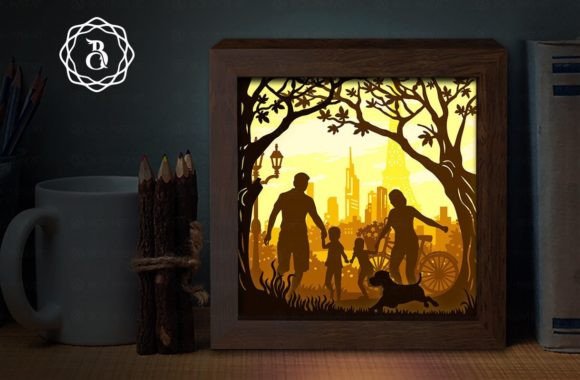
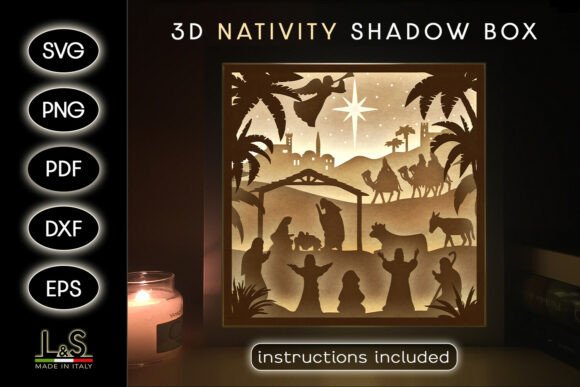
At its core, a shadow box template relies on the principle of parallax and spacing. The design is separated into distinct planes—typically six layers in standard kits—each representing a different depth of the scene. The foreground might feature wise men or shepherds, the mid-ground contains the manger and holy family, and the background establishes the stable structure or a starry sky. When these layers are assembled with spacers between them, light and shadow interact to produce a sense of volume that a single sheet of paper cannot achieve.
The term "SVG" refers to Scalable Vector Graphics, a file format that uses mathematical paths rather than pixels. This ensures that whether the project is scaled down for a greeting card or enlarged for a wall display, the cutting lines remain crisp and precise. For those utilizing electronic cutting machines like Cricut, Silhouette, Brother, or CNC laser systems, the SVG format is essential. It communicates exact coordinates to the machine, allowing for intricate details such as delicate stars, textured hay, or flowing robes to be cut cleanly without manual error. However, the utility of these files extends beyond machines; they often include PDF and PNG alternatives for those who prefer hand-cutting or printing.
Evaluating the Benefits of Digital Templates
For individuals considering this project, the primary advantage lies in the balance between customization and guidance. Designing a layered scene from scratch requires a strong understanding of spatial relationships and vector software. By utilizing a pre-designed Christmas Nativity Shadow Box Svg, crafters bypass the steep learning curve of digital illustration while retaining full control over the final aesthetic. The template provides the architecture, but the user dictates the color palette, material texture, and lighting conditions.
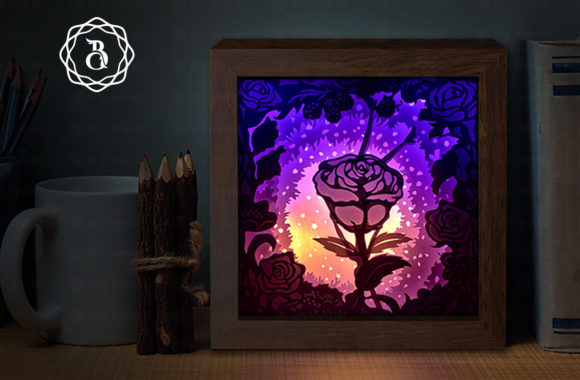
Another significant benefit is versatility. While these templates are optimized for light boxes—where an internal LED source illuminates the layers from behind to create a glowing effect—they are not limited to this application. As noted in many design specifications, creativity allows for adaptation. One might choose to assemble the layers using white cardstock for a classic, illuminated look, or opt for colorful, patterned paper to create a vibrant daytime display. Furthermore, the scale of the project can be adjusted. A standard 8x8 inch (20x20 cm) design is perfect for a tabletop centerpiece or a detailed Christmas card, yet the vector nature of the files allows for resizing if a larger wall hanging is desired.
Material Considerations and Assembly Realities
Success with this type of project depends heavily on material selection. White cardstock is frequently recommended, particularly for lighted versions, because it allows light to pass through evenly, preventing dark spots and ensuring the colors of any added paints or inks appear true. However, heavier cardstock may be required for structural integrity if the box is large or if the layers have significant overhangs. Crafters must evaluate the weight of their chosen paper against the depth of their shadow box frame.
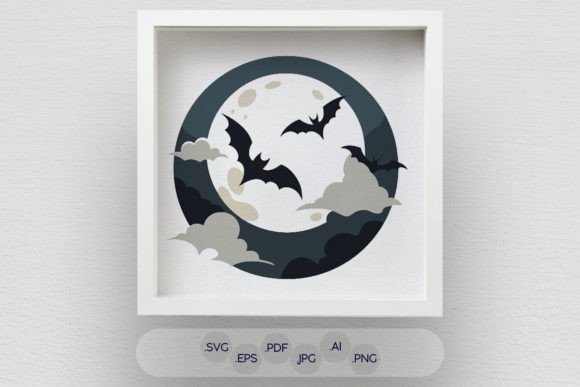
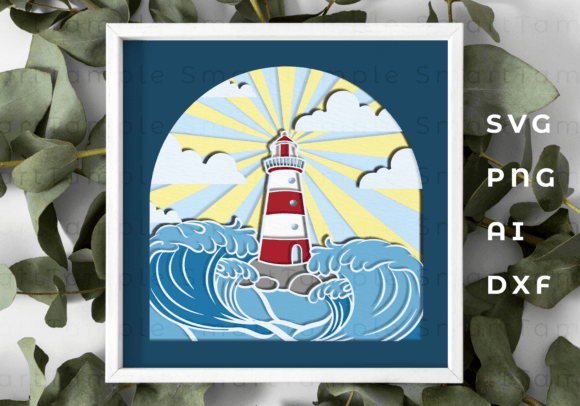
The assembly process itself requires patience and precision. A typical kit includes a variety of file formats to accommodate different skill levels and tools: SVG for cutting machines, DXF for Silhouette Studio Basic Edition, EPS for Adobe Illustrator or Inkscape, and high-resolution PNGs for printing. Additionally, PDF instructions usually accompany the download, detailing the supply list and step-by-step assembly. For beginners, following these tutorials is crucial. The process involves cutting the six layers, applying adhesive spacers (often foam tape) between each level, and aligning them perfectly within the frame. Misalignment at any stage can disrupt the 3D illusion, making the initial setup time an important factor to consider.
When This Approach Is the Right Fit
This project is ideally suited for crafters who own or have access to a digital cutting machine and wish to produce consistent, high-quality results. It is also an excellent choice for those looking to create personalized gifts. Because the files are digital, one can produce multiple units efficiently, varying only the paper colors or embellishments to suit different recipients. The inclusion of transparent background PNGs at 300 DPI further enhances this potential, allowing users to print specific elements onto specialty papers or even fabric.
Moreover, educators and group leaders may find value in these templates. The clear separation of layers makes it easier to teach concepts of depth and perspective in art classes. With a simple tutorial included in most packages, even those new to papercraft can assemble a 3D nativity shadow box in a relatively short timeframe, making it a viable activity for community centers or family gatherings.
Alternatives and Limitations to Consider
Despite the advantages, a digital template may not be the optimal solution for every scenario. Individuals who enjoy the tactile process of drawing and designing their own scenes from scratch may find pre-made SVGs restrictive. Those seeking a completely unique composition that deviates from traditional nativity arrangements might prefer commissioning a custom designer or sketching their own patterns.
Additionally, the requirement for specific hardware can be a barrier. While hand-cutting is possible using the provided PDFs, executing a six-layer design with intricate details by hand is time-consuming and demands a high degree of steady-handedness. For those without a Cricut, Silhouette, or laser cutter, the complexity of the design might outweigh the enjoyment of the process. In such cases, purchasing a pre-assembled wooden or ceramic nativity set might be a more practical alternative.
Lighting is another variable that influences the decision. If the intended display location lacks access to power outlets for a light box, the "glow" effect central to many shadow box designs will be lost. While the scene remains visually appealing in ambient light, the dramatic contrast intended by the designer may be diminished. Crafters should assess their display environment before committing to a light-dependent design.
Making the Decision
Ultimately, choosing to work with a Christmas Nativity Shadow Box Svg comes down to a desire for dimensional storytelling through paper. It offers a structured yet flexible framework for honoring the Christmas narrative. The comprehensive nature of modern template packs—which often include ZIP files containing SVG, PDF, PNG, DXF, and EPS formats alongside detailed instructions—ensures that users have the necessary tools to succeed regardless of their preferred method of creation.
Before downloading or purchasing, evaluate your available tools, your comfort level with assembly, and your vision for the final piece. If you seek a project that combines technical precision with artistic expression, and if you are willing to invest time in layering and alignment, this medium offers a rewarding pathway to creating a timeless holiday masterpiece. Whether displayed as a glowing beacon in a window or a textured accent on a mantle, the layered nativity shadow box stands as a testament to the blend of technology and tradition in modern crafting.